Daari Sentinel
A crash is ahead. The clock is what matters.
Road cameras spot incidents. SAM 3.1 finds the vehicles and responders, Muse Spark rejects false alarms, Muse Wonder tracks the scene until it clears, so drivers behind know what happened, when it ends, and what to do.
19/19 incidents detected · 0 false alarms on normal traffic · estimate narrows 72 → 10 min as cameras pass
Mile 001 · The gap
Today vs Sentinel
A generic maps alert
⚠ Crash reported · 12 min delay
Maps know something happened. Sentinel knows what stage it's at and when it ends.
Mile 002 · Receipts
Don't take our word for it
19/19
incidents detected
Evidence →
0
false alarms on 8 normal-traffic clips
Evidence →
11/11
incident clips caught by the quick check (median $0.0002 per look)
Evidence →
72 → 36 → 10
min: the clearance estimate narrowing as reports arrive
Evidence →
~$0.33
per hour of driving (estimate — 1 look/min, 5% escalate)
Evidence →
1 → 11
camera report → drivers alerted, ~3.2 driver-hours saved (simulation)
Evidence →
Meta API spend for building and testing the app's AI features (models only — excludes coding-agent usage): $11.55 (costs.md).
Mile 003 · How it works
From camera to decision in four steps
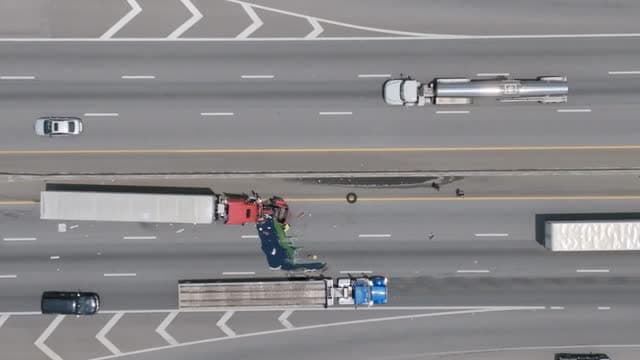
Step 1 · SAM 3.1
Camera sees
Road and dash cameras watch the road. SAM 3.1 finds and tracks every vehicle, responder and person in the clip.
Boxes illustrate tracking — the counts are real: 9 trucks and 3 people in this clip (eval Table 1).
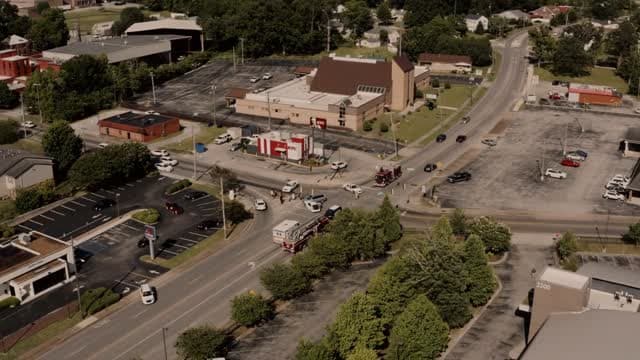
crash · responders on scene
Step 2 · Muse Spark
AI checks
Muse Spark reads the scene and returns a structured verdict — type, severity, responders, evidence — and rejects false alarms: 8 out of 8 normal clips cleared.
Report 1 · no help on scene yet
72 min
between 55 and 95 min
Step 3 · Muse Wonder
AI tracks
The incident agent follows one crash across camera reports and narrows the clearance range with cited evidence: likely 72 → 36 → 10 minutes.
Reroute via CT-15· Best ✓
Arrive 10:38 AM
Stay on I-95 S
Arrive 11:19 AM
Wait at the rest stop
Sit out the worst of it
Decide by Exit 38
Step 4 · Route engine × Muse Wonder
You decide
Stay, reroute or wait — scored against the clearance range from your position, with the exit where you must choose.
Mile 004 · How to use it
Three ways in
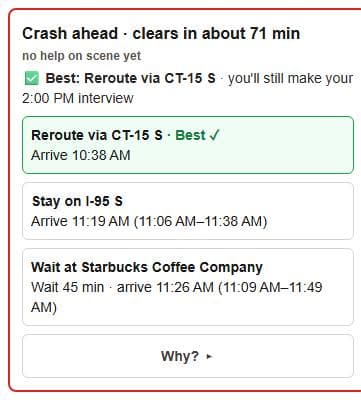
Watch the demo
- Press “Watch the 60-second demo”.
- When the alert appears, tap “Why?” to see the evidence.
- Tap Reroute, Stay or Wait and watch the route change.
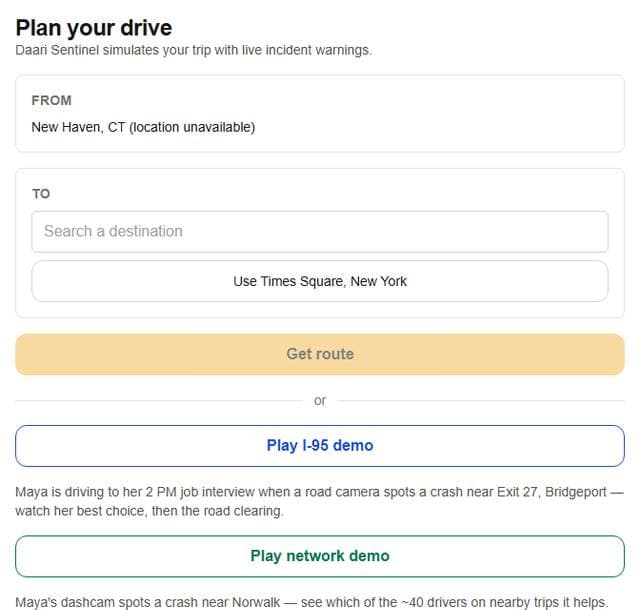
Plan your own trip
- Enter a destination (or use your location).
- Press Start drive.
- Open “Explore more” → Drop incident, tap a spot on your route and pick a clip; you’ll get a warning with options.
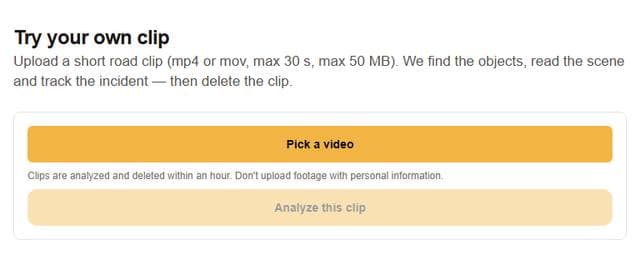
Try your own clip
- Upload a short road clip (mp4/mov, max 30 s).
- Normal traffic stops at a quick check; incidents get a full check, with faces and plates blurred.
- If it’s an incident, “Post to the live map” and pick where it was filmed; drivers whose route passes it will be warned for 2 hours.
Free tries are limited per day; the demos are always free.
Mile 005 · Architecture
The pipeline
Mile 006 · Judge Q&A
Questions a judge would ask
Isn't this just an image analyzer?
No: it tracks one incident across many camera reports over time, estimates when it clears with cited evidence, and turns that into a route decision for every driver whose path crosses it; a guard rejects claims the evidence doesn't support.
How accurate is the clearance time?
Honest answer: it's an AI estimate anchored to planning defaults per incident type and stage, adjusted with cited evidence. It narrows as reports arrive, but it has not been validated against real clearance records yet.
Why not run the AI on every frame?
The triage ladder: a sub-cent quick look about once a minute (median $0.0002); full checks only when something looks wrong; map updates only when the stage changes.
What's live and what's replayed?
The demos replay cached real model results ($0); /try runs live calls with quotas and a daily cap (10 free tries per IP per day, $2 total daily budget).
What about privacy?
Faces and plates are blurred in every image shown, including uploads; uploads are deleted after analysis.
What does it cost?
Quick look median $0.0002, full check $0.106, about $0.33 per driving hour at a 5% escalation rate — and $11.55 of Meta API spend for building and testing (models only, excludes coding-agent usage). See the receipts.
Mile 007 · Honest limits
What this doesn't prove yet
- Clearance times are estimates, not validated against real incident records.
- Most incident footage is stock video (aerial or traffic-camera style) standing in for one incident; the demo is a simulation, not a live fleet.
- The quick look over-flags some heavy traffic and crowds (safe direction, costs extra checks).
- SAM's video tracking caps at 16 objects per frame; true counts come from stills.
- Community reports are an early demo with simple abuse limits.
Mile 008 · Built with Meta
Four models, four jobs
SAM 3.1
Finds and tracks every vehicle and responder
Muse Spark
Reads the scene, rejects false alarms
Muse Wonder
Tracks the incident until it clears
Muse Code
Wrote this repo